
TiviMate vs IPTV Smarters Pro: Which App Is Better in 2026?
Two of the most popular IPTV players compared on interface, TV guide, devices, recording, price and ease of use, so you can pick the right one for the screens you actually own.
Introduction: TiviMate vs IPTV Smarters Pro in 2026
Ask any group of cord-cutters which IPTV player they use and two names come up again and again: TiviMate and IPTV Smarters Pro. Both turn a playlist from your IPTV provider into something you can actually browse and watch. But they are built around very different ideas, and the "best" one depends far more on your devices and viewing habits than on any feature checklist.
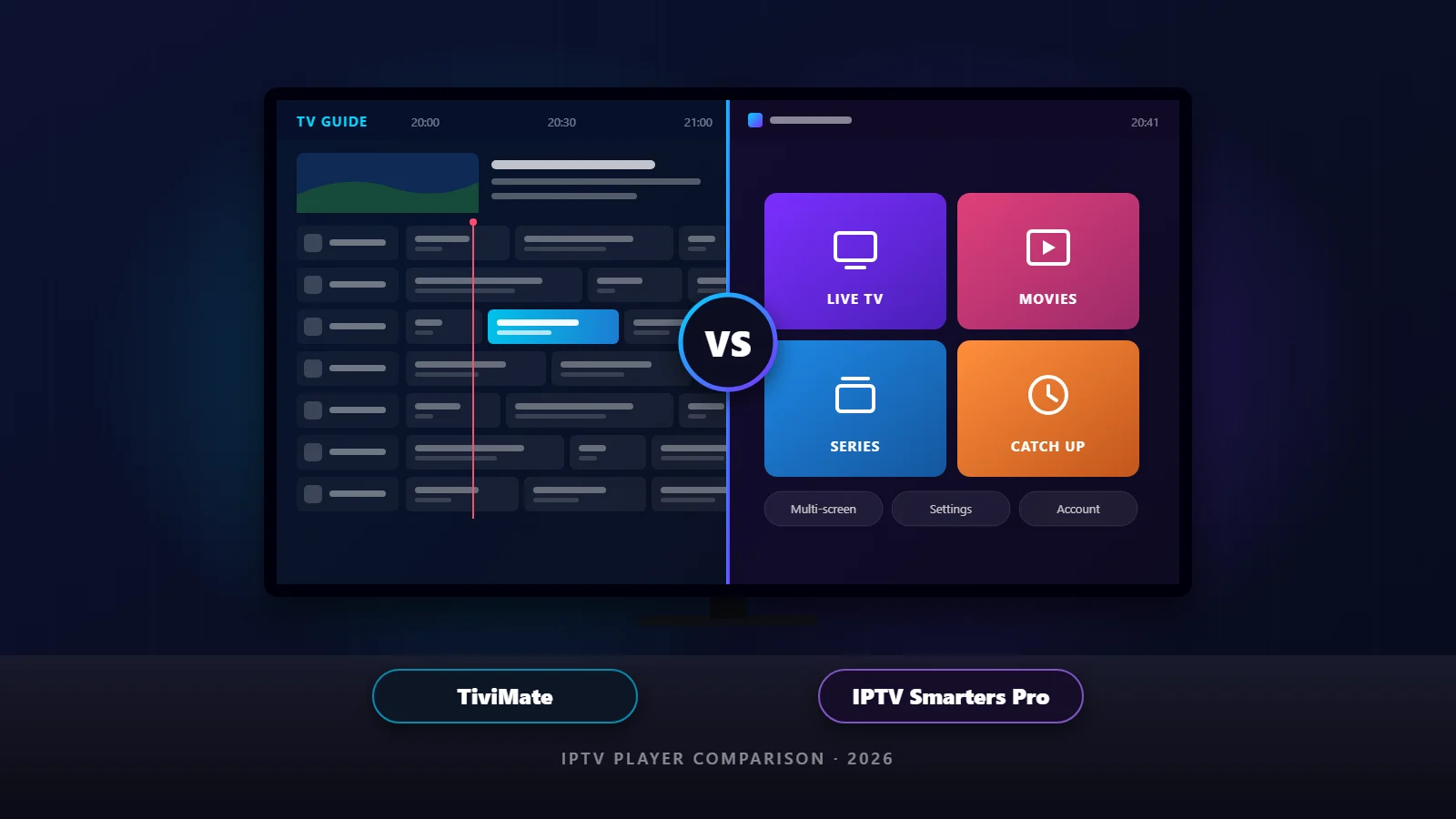
TiviMate is designed to feel like a cable box on an Android TV device, with a classic channel grid at its heart. IPTV Smarters Pro is a multi-platform app with a dashboard of tiles for Live TV, Movies and Series that runs on many more kinds of screens. One is a specialist; the other is a generalist.
This TiviMate vs IPTV Smarters Pro comparison goes beyond a list of features. We look at how each app feels to use day to day, what costs money and what does not, which devices each supports, and which one suits which kind of household. At the end you will find a clear recommendation for each scenario.
App features, store listings and prices change frequently, and some details differ by platform and region. We have only included features that are widely documented for each app. Where details vary (for example Smart TV availability or exact prices), we say so. Always check the official store listing before you buy.
First: An IPTV Player Is Not an IPTV Service
This is the single most common point of confusion for new users, so it is worth clearing up before comparing anything.
- An IPTV player (TiviMate, IPTV Smarters Pro, IBO Player and others) is software. It reads a playlist, displays channels and plays streams. Neither TiviMate nor IPTV Smarters Pro includes any channels, movies or subscriptions of its own.
- An IPTV provider is the service that supplies the actual content, usually as an M3U link or Xtream Codes login details (server URL, username and password).
Paying for TiviMate Premium does not give you channels, and a provider subscription does not include TiviMate Premium. You need a provider for content and a player to watch it. Be wary of websites that sell "TiviMate subscriptions" or "Smarters subscriptions": they are selling an IPTV service using the app's name, not the app itself.
If you already have a service such as IPTV USA's live TV and on-demand plans, either player can be used to watch it. The question is simply which one fits your setup better.
What Is TiviMate?
TiviMate is an IPTV player built specifically for Android TV-based devices: Android TV and Google TV boxes, TVs running Google TV, NVIDIA Shield, and Amazon Fire TV devices. It is designed around the TV remote rather than a touchscreen, and it is not intended for phones or tablets.
Its defining feature is the TV guide grid. Channels run down the left side, time runs across the top, and programmes fill the grid, very much like a traditional cable or satellite box. For people moving from cable, that familiarity is a big part of its appeal.
TiviMate uses a freemium model. The free version lets you add a playlist and watch live channels with the guide. A paid Premium upgrade unlocks the features most enthusiasts want, such as multiple playlists, recording and extensive customization. Premium is purchased through a separate TiviMate Companion app rather than on the TV itself.
What Is IPTV Smarters Pro?
IPTV Smarters Pro is an IPTV player developed by WHMCS Smarters, and its strength is reach. Versions exist for Android phones, tablets and TV devices, Apple devices, and Windows and macOS computers. The app's name and listing can differ by store; on Apple's App Store, for example, the developer's player has been listed under a different name.
Instead of opening into a TV guide, Smarters Pro opens to a dashboard with large tiles for Live TV, Movies, Series and, where your provider supports it, Catch Up. It feels more like a modern streaming app than a cable box, which many people find easier to understand.
The core app is free to use. On some platforms the developer offers optional paid upgrades, but you can log in and watch without paying for the app. Because it is so widely used, many IPTV providers write their setup instructions with Smarters Pro in mind.
Many apps and websites use "Smarters" in their name. Some providers also distribute their own rebranded copies of the player. Install from your device's official app store wherever possible and check the developer name on the listing.
TiviMate vs IPTV Smarters Pro: The Main Differences
If you only have a minute, these are the differences that matter most:
- Devices: TiviMate is for Android TV and Fire TV devices only. Smarters Pro runs on phones, tablets, computers and TV devices.
- Layout: TiviMate is built around a channel guide grid. Smarters Pro is built around a dashboard of content categories.
- Live TV vs everything: TiviMate is focused on live channels. Smarters Pro gives movies and series more prominence.
- Cost: TiviMate's best features require Premium. Smarters Pro's core features are free.
- Depth: TiviMate Premium offers more control over playlists, groups and the guide. Smarters Pro is simpler, with fewer settings to learn.
User Interface and Navigation
TiviMate: a cable box experience
TiviMate opens straight into live TV. Pressing the remote brings up the channel list or the full guide, and you can scroll through hundreds of channels and see what is on now and next without leaving what you are watching. Channel surfing with the up and down buttons works the way people expect from a set-top box.
For households that mainly watch live channels, especially sports and news, this is TiviMate's biggest advantage. Navigation becomes muscle memory very quickly.
IPTV Smarters Pro: a streaming app experience
Smarters Pro asks you to choose a category first: Live TV, Movies, Series. Inside Live TV you pick a channel group, then a channel. That extra layer means slightly more clicks for channel surfing, but it makes the app very clear for people who mostly browse on-demand content.
On phones and tablets the touch-friendly layout works well. On a TV with a remote, it is perfectly usable, though not as fast as TiviMate for flicking between live channels.
Features and Customization Options
TiviMate features
Commonly documented TiviMate features include the following (several require Premium):
- Support for M3U playlists and Xtream Codes logins
- Full TV guide grid with programme details
- Multiple playlists in one app (Premium)
- Recording of live programmes to device or external storage (Premium)
- Catch-up playback where your provider supports it (Premium)
- Favourites, custom channel groups, hiding and reordering channels (largely Premium)
- Control over how often playlists and guide data refresh (Premium)
- Multi-view for watching several channels at once on supported devices (Premium)
- Parental controls and extensive appearance settings
IPTV Smarters Pro features
Commonly documented Smarters Pro features include:
- Login with Xtream Codes details or an M3U playlist
- Separate sections for Live TV, Movies and Series, with posters and descriptions for on-demand titles
- TV guide information for live channels
- Catch Up section where the provider supports it
- Multi-screen viewing on supported devices
- Parental controls
- Option to play streams in an external player such as VLC on some platforms
- Subtitle and audio track selection where streams include them
The difference in philosophy is clear. TiviMate gives you deep control over live TV; Smarters Pro gives you a broad, easy overview of everything your provider offers.
Electronic Program Guide (EPG)
The TV guide is where the two apps differ most.
TiviMate treats the guide as the centre of the app. The grid view lets you scan hours of programming across many channels at once, jump to a programme, and, with Premium, schedule recordings directly from the guide. You can also add extra EPG sources and control how often guide data updates.
IPTV Smarters Pro displays guide information too, including what is on now and next, and offers a guide view for live channels. It is functional and fine for checking what is on, but it is not the core of the experience in the way it is in TiviMate.
In both apps, the guide is only as good as the data your provider supplies. If your guide shows "No information", the player is rarely to blame. Our guide to fixing IPTV login and EPG errors explains how to diagnose a missing or outdated guide.
Device Compatibility
This section often decides the comparison on its own.
| Device | TiviMate | IPTV Smarters Pro |
|---|---|---|
| Android TV / Google TV boxes and TVs | ✅ Yes (designed for it) | ✅ Yes |
| Amazon Fire TV Stick / Cube | ✅ Yes | ✅ Yes (install method varies) |
| NVIDIA Shield | ✅ Yes | ✅ Yes |
| Android phones and tablets | ❌ Not designed for them | ✅ Yes |
| iPhone, iPad, Apple TV | ❌ No | ✅ Available (listing name may differ) |
| Windows and macOS | ❌ No | ✅ Yes |
| Samsung and LG Smart TVs | ❌ No | ⚠️ Varies by model and region |
If your household mixes iPhones, an Apple TV and a Windows laptop with a Fire TV Stick, Smarters Pro is the only one of the two that can follow you across all of them. If everyone watches on Android TV or Fire TV devices, TiviMate is fully available to you. For a wider look at which streaming hardware works best, see our guide to building the perfect IPTV setup at home.
Performance and Streaming Experience
Both apps are widely used for everyday streaming, and in practice the biggest factors in playback quality are your internet connection, your device and your provider's servers, not the player. Neither app can fix a slow network or an overloaded server.
That said, there are practical differences in feel:
- Channel switching: TiviMate's live-TV-first design makes zapping between channels quick and fluid on capable hardware.
- Large playlists: Playlists with thousands of channels and big guide files put load on any app. TiviMate's ability to hide groups and control guide refreshes helps keep things tidy, which matters on entry-level devices.
- Player options: Both apps let you adjust playback settings, and Smarters Pro can hand streams to an external player on some platforms, which can help with unusual formats.
If you experience buffering in either app, start with the network rather than switching players. Our step-by-step IPTV buffering guide covers the common causes. And if your Fire TV device freezes or closes the app during long live sessions, see our guide on why a Firestick crashes during live TV.
Playlist Management and Organization
TiviMate is the clear leader here, provided you have Premium. You can add more than one playlist, rename and reorder channel groups, hide categories you never watch, build favourites lists and merge guide sources. For someone with a large playlist, being able to hide hundreds of unwanted channels makes a real difference.
IPTV Smarters Pro lets you save more than one user profile or login and switch between them, and supports favourites. It organizes content according to the categories your provider sends, with less ability to reshape them. For most users that is enough; for heavy customizers it can feel limiting.
Whichever you choose, keep your playlist URL or login details saved somewhere safe. If you also use IBO Player on a Smart TV, our guide to restoring an IBO Player playlist shows how playlist problems differ between players.
Free vs Premium Features: What You Actually Pay
TiviMate pricing
TiviMate's free version is usable for basic live TV, but the features that make it special (multiple playlists, recording, catch-up and most customization) are part of TiviMate Premium. Premium is sold through the TiviMate Companion app as a yearly or one-time lifetime purchase, and one purchase is widely reported to cover up to five devices.
At the time of writing, commonly reported US pricing is around $9.99 per year or about $34 for lifetime access. Prices vary by region and change over time, so check the Companion app for the current figure before buying.
IPTV Smarters Pro pricing
The core Smarters Pro app is free: you can log in with your provider's details and watch Live TV, Movies and Series without paying for the app. Some platforms offer optional paid upgrades, and these differ between stores.
Neither app's price includes content. Whatever you pay for the player, you still need a separate subscription from an IPTV provider.
Which App Is Easier for Beginners?
For most beginners, IPTV Smarters Pro is easier to start with. The login screen asks for exactly what providers usually send (a server URL, username and password, or an M3U link), and the dashboard makes it obvious where live channels, films and series live. It also works on the phone most people already know how to use.
TiviMate is easy to use but takes longer to master. Adding a playlist is simple, and basic channel browsing feels instantly familiar to anyone who has used cable. The learning curve comes with Premium settings: guide sources, group management and recording options. Once set up, many users find it the more comfortable app for daily live TV.
If you are setting up on a Fire TV Stick for the first time, our beginner's guide to installing IPTV players on Firestick walks through enabling app installs and adding your login details.
Pros and Cons of Each App
TiviMate
👍 Pros
- Best-in-class TV guide grid
- Familiar, cable-box style live TV
- Recording and catch-up with Premium
- Deep playlist and channel customization
- One Premium purchase covers several devices
👎 Cons
- Android TV and Fire TV devices only
- Best features require a paid Premium upgrade
- Premium is purchased through a separate phone app
- Movies and series are less of a focus
IPTV Smarters Pro
👍 Pros
- Free core app
- Runs on phones, tablets, computers and TV devices
- Clear Live TV, Movies and Series dashboard
- Very beginner-friendly setup
- Multi-screen and external player options
👎 Cons
- Guide is less powerful than TiviMate's
- More clicks for live channel surfing
- Fewer options to reorganize channels
- Many look-alike apps and rebranded copies
TiviMate vs IPTV Smarters Pro: Comparison Table
| Category | TiviMate | IPTV Smarters Pro |
|---|---|---|
| Best for | Live TV fans on Android TV / Fire TV | Mixed-device households and beginners |
| Interface style | Cable-style guide grid | Tile dashboard by category |
| Playlist types | M3U, Xtream Codes | Xtream Codes, M3U |
| TV guide | Excellent, central to the app | Good, secondary to dashboard |
| Movies & series browsing | Basic | Strong, with posters and details |
| Recording | Yes (Premium) | Limited / varies by platform |
| Multiple playlists | Yes (Premium) | Yes, via multiple user profiles |
| Customization | Extensive | Moderate |
| Platforms | Android TV, Google TV, Fire TV | Android, Apple, Windows, macOS, TV devices |
| Cost of the app | Free basic; Premium yearly or lifetime | Free core; optional upgrades on some platforms |
| Learning curve | Moderate | Low |
Which IPTV Player Should You Choose in 2026?
Rather than naming a single winner, here is how we would choose based on real households:
| Your situation | Our pick | Why |
|---|---|---|
| Mostly live TV and sports on a Fire TV or Android TV device | TiviMate | The guide and channel surfing are unmatched |
| iPhone, iPad, Apple TV or laptop viewing | IPTV Smarters Pro | TiviMate isn't available on these devices |
| Brand new to IPTV and want it working tonight | IPTV Smarters Pro | Free, simple login, clear layout |
| Want to record shows or manage several playlists | TiviMate Premium | Recording and multi-playlist tools |
| Watch mainly movies and series | IPTV Smarters Pro | Poster-based browsing suits on-demand content |
| Several Android TV devices in one home | TiviMate Premium | One purchase covers multiple devices |
There is also nothing stopping you from using both. A common setup is TiviMate on the living room Fire TV or Android TV box for live channels, and Smarters Pro on phones and tablets for watching on the go. Check how many simultaneous connections your provider allows before running both at once.
For step-by-step instructions on other devices, our IPTV installation guide for every device covers the basics.
Frequently Asked Questions
Is TiviMate better than IPTV Smarters Pro?
For live TV on Android TV or Fire TV devices, most users prefer TiviMate because of its guide and channel management. For beginners, movie and series fans, or anyone using Apple devices or computers, IPTV Smarters Pro is usually the better choice.
Is TiviMate free?
TiviMate has a free version for basic live TV viewing. Features such as multiple playlists, recording, catch-up and most customization require TiviMate Premium, which is bought through the TiviMate Companion app as a yearly or lifetime purchase.
Is IPTV Smarters Pro free?
Yes, the core app is free to download and use. Some platforms offer optional paid upgrades. You still need a separate IPTV subscription for content.
Do TiviMate or IPTV Smarters Pro include channels?
No. Both are media players only. They play the playlist or login details supplied by your IPTV provider and do not include any channels or content themselves.
Can I use TiviMate on an iPhone, Samsung or LG TV?
No. TiviMate is designed for Android TV-based devices, including Fire TV. On iPhone, iPad, Apple TV, Windows or Mac, IPTV Smarters Pro or another player is needed. Samsung and LG owners can add an Android TV or Fire TV device to use TiviMate.
What is the best IPTV app for Android TV?
TiviMate is widely considered the best IPTV app for Android TV if live TV is your priority. IPTV Smarters Pro is a strong free alternative, particularly if you watch a lot of on-demand content.
Can I use the same IPTV subscription in both apps?
Usually yes. Most providers supply login details that work in both apps. Just be aware of your plan's simultaneous connection limit if both are streaming at the same time.
Which app is better for recording live TV?
TiviMate Premium is the stronger choice for recording, allowing recordings to be scheduled from the TV guide. Recording options in Smarters Pro are more limited and vary by platform.
Final Verdict
In the TiviMate vs IPTV Smarters Pro debate, there is no universal winner, only a better fit for your situation.
Choose TiviMate if you watch mainly live TV on an Android TV or Fire TV device and want the most cable-like experience available, with a powerful guide, recording and full control over your channel list. For most enthusiasts, Premium is worth paying for.
Choose IPTV Smarters Pro if you are new to IPTV, watch on phones, tablets, Apple devices or computers, or spend more time on movies and series than live channels. It is free, straightforward and available almost everywhere.
Whichever player you pick, the quality of what you watch still depends on your provider. To pair your chosen app with reliable live channels and on-demand content, explore the features of the IPTV USA service, which works with both players.
Related Articles
Works with TiviMate and IPTV Smarters Pro
50,000+ Channels · 134,000+ Movies & Series · 4K UHD Quality · 24/7 Dedicated Support
📺 Explore Plans & Pricing